Vocabulary App Blocker

Learn words
while you scroll.

Block distracting apps. See flashcards instead. Build vocabulary effortlessly.

Free to try · No account · 100% offline
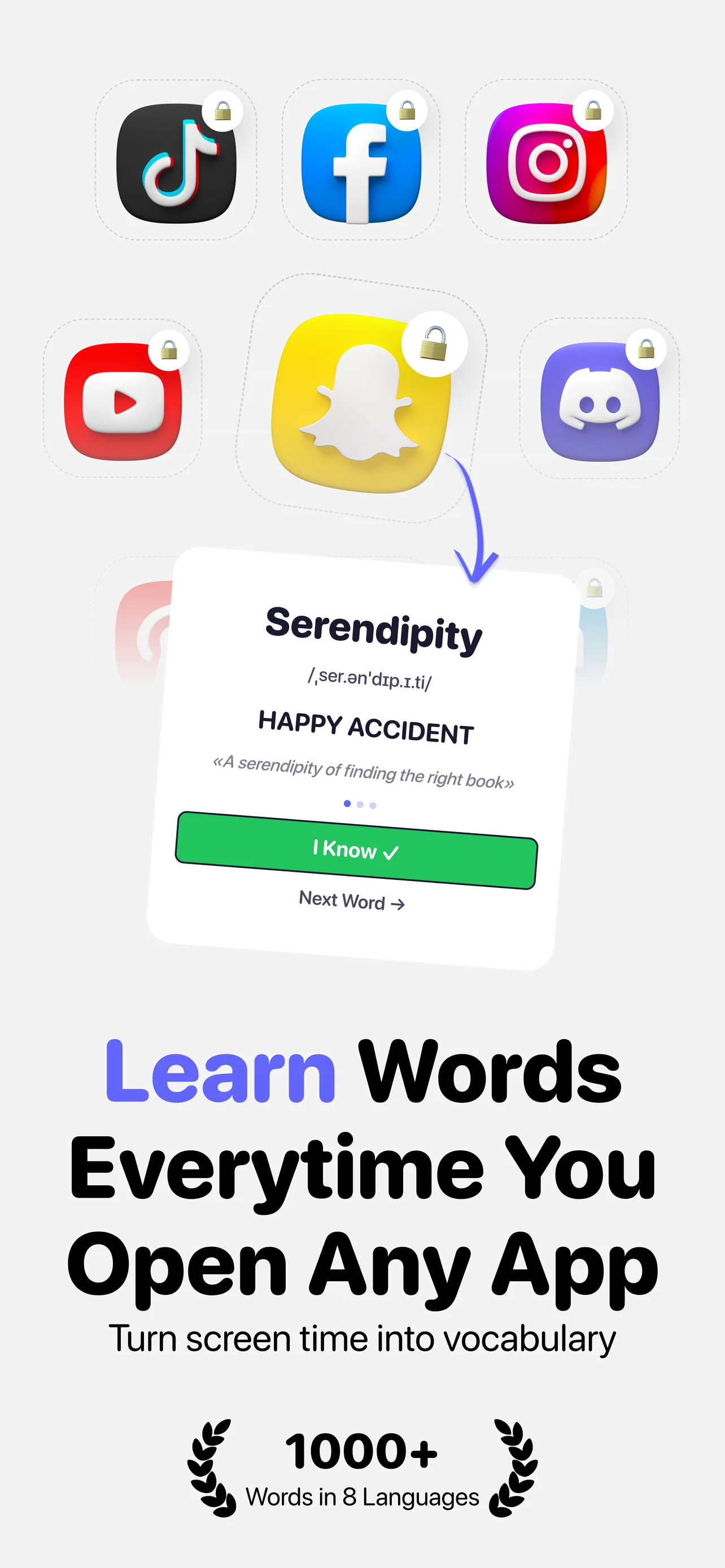
LearnScreen — learn words every time you open any app
11
Languages supported
1000+
Words in each language
100%
Offline & private

Every distraction
becomes a lesson

When you open a blocked app, LearnScreen shows vocabulary flashcards. Review a few words and the app unlocks automatically.

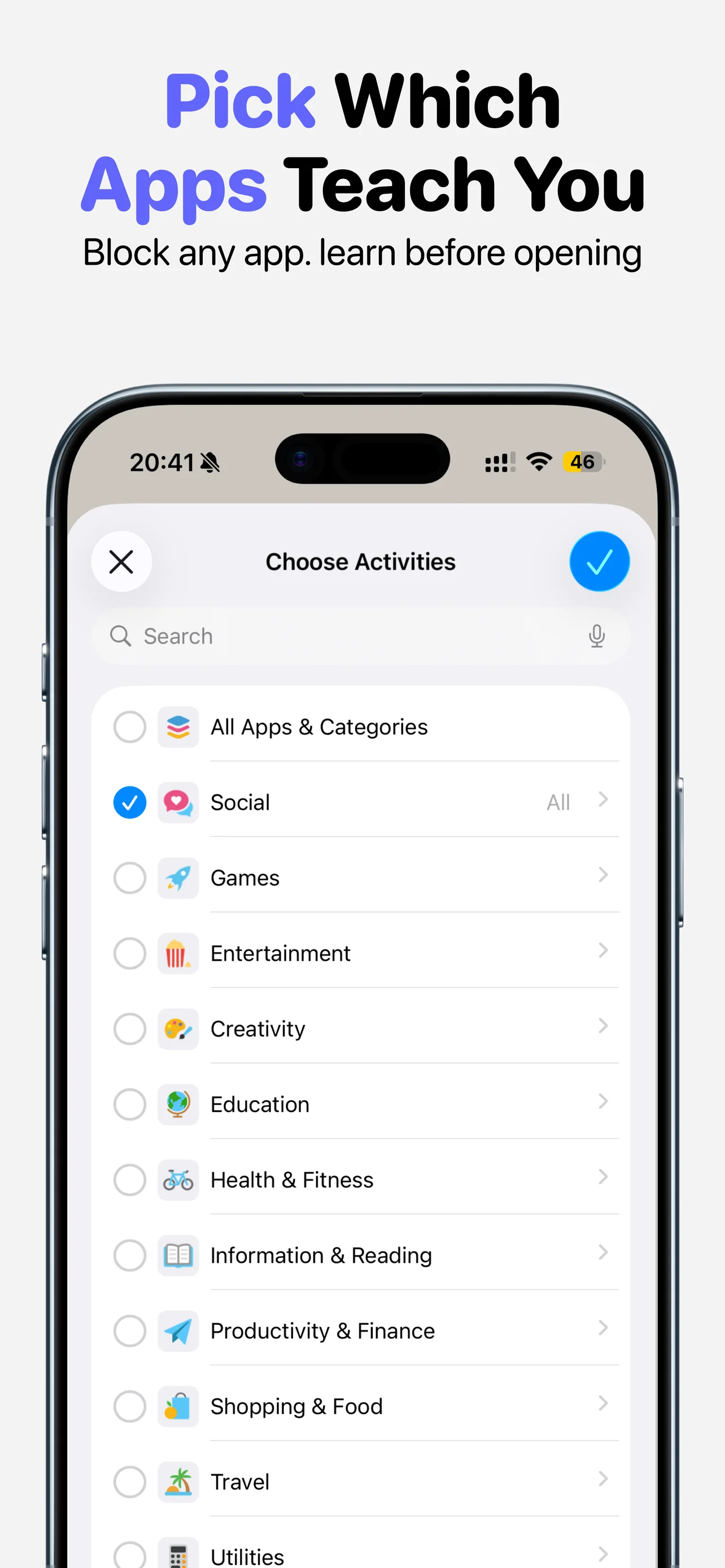
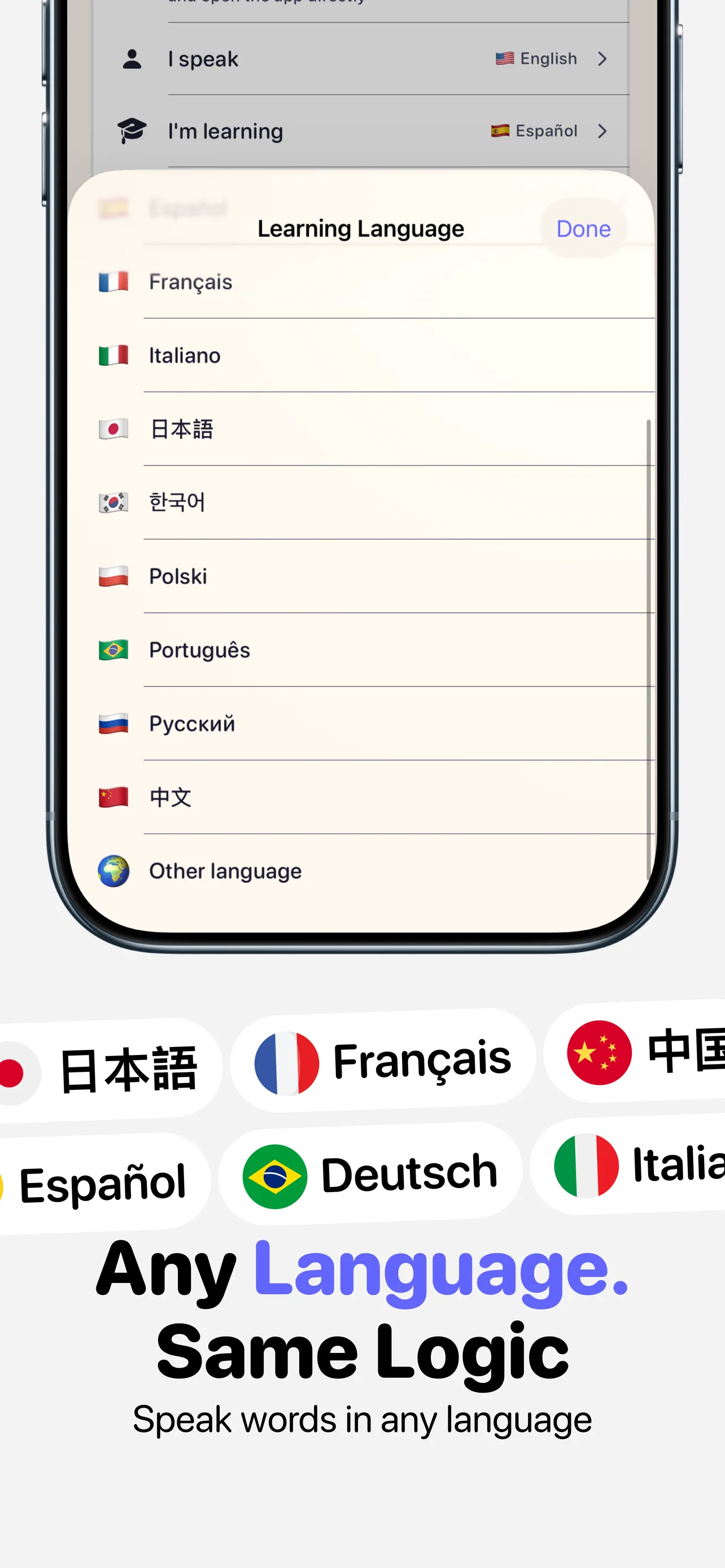
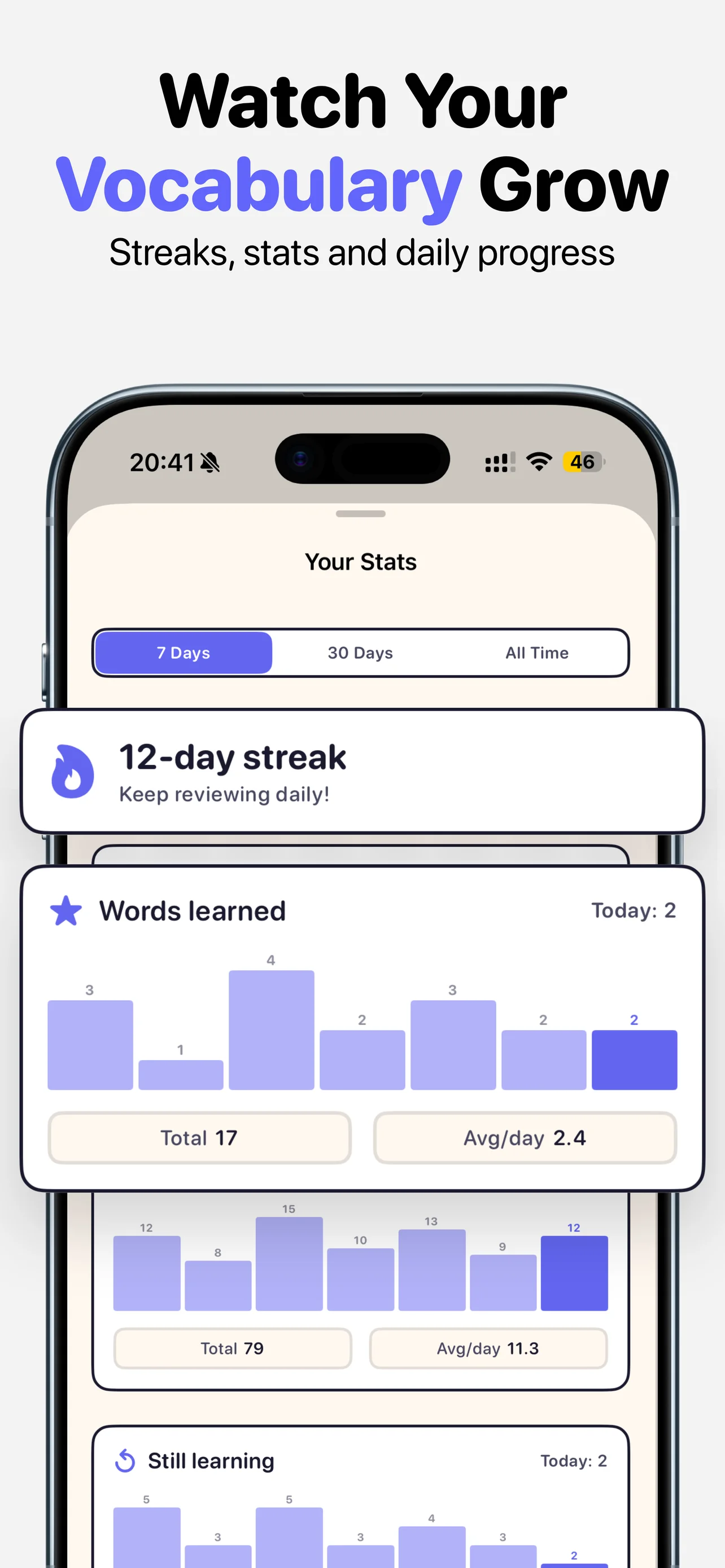
Learn words every time you open any app Pick which apps teach you — block any app category Any language, same logic — learn in 10+ languages Watch your vocabulary grow — streaks, stats, daily progress

Simple tools,
real results

App Blocking

Block any apps or categories that waste your time. Uses Apple's Screen Time API — no workarounds possible.

  • Block social media, games, anything
  • Auto-locks after unlock expires
  • Works even in the background

Word Directories

Curated vocabulary lists organized by topic. Animals, food, travel, business — pick what interests you.

  • 1000+ words per language
  • Organized by category and topic
  • Add your own custom words

Progress Tracking

See your learning streak, daily stats, and how many words you've mastered. Small wins add up.

  • Daily streak counter
  • Words reviewed & learned stats
  • Visual progress for each word

Offline-First & Private

No accounts. Vocabulary works fully offline. Optional iCloud backup goes to your own iCloud, not our servers.

  • No sign-up or login
  • Works offline once installed
  • Optional iCloud backup (your account)

How it works

1

Block distracting apps

Pick apps and categories you want to block. Social media, games, news — whatever pulls you in.

2

See flashcards instead

When you open a blocked app, a vocabulary flashcard appears. Learn a new word in seconds.

3

Learn & unlock

Review a few words and the app unlocks automatically. Every distraction becomes a mini lesson.

Your data, your iCloud

No accounts to create. Vocabulary works offline. If you choose, your progress backs up to your own iCloud (not our servers) so you can restore it after reinstalling. Anonymous usage analytics help us improve the app.
Questions

How does it block apps?
LearnScreen uses Apple's official Screen Time API (FamilyControls). When you open a blocked app, iOS shows a shield screen with your vocabulary flashcards. It works system-wide — even in the background.
Can I bypass the block?
The block uses Apple's native Screen Time framework, so blocked apps can't be opened without reviewing flashcards first. After you complete a review session, the app unlocks for a calculated period (from 15 minutes up to a few hours, depending on your settings). It re-locks automatically when the unlock period expires.
What languages are supported?
LearnScreen supports 11 languages: English, German, Spanish, French, Italian, Japanese, Korean, Polish, Portuguese (Brazilian), Russian, and Chinese. Each language has 1,080 curated words organized into 18 directories by topic. You can also add unlimited custom words in any language.
Is it really free?
Yes! The free plan includes 5 review sessions per day, 5 words per session, and access to all word directories and custom words. LearnScreen Pro lets you review up to 50 times a day, customize words per session (3–20), skip sessions, and learn words 3x faster. Available as monthly, annual, or lifetime purchase.
Does it need internet?
Daily use works offline — all 1,080+ words are bundled with the app, and shields fire on the lock screen without any network. Internet is needed only for restoring purchases and for the optional iCloud backup that syncs your progress to your own iCloud (not our servers). No account required.
Where is my data stored?
On your device by default. If you’re signed into iCloud, your vocabulary progress backs up to your own iCloud (Apple, not us) so you can restore it after reinstalling or switching iPhones. We never see your words. We use anonymous usage analytics (no personal data, no email) to understand which features matter and fix bugs.

Turn screen time
into learn time

Free to download. No account needed.

Download for iOS